lights input boxes
color

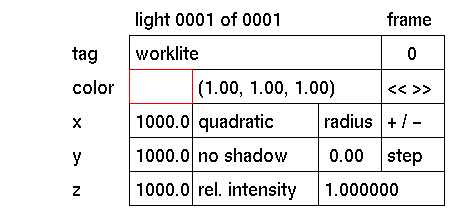
Purpose
To change or display the current color of a light source in a graphically.
Usage
Click the colored data input box to activate it. The color submenu will be displayed where you can make your selection.
Comments
GIG provides 2 methods for selecting colors for light sources:
1 Click the white (default) colored box. The color submenu will be displayed. To change the color of the large box, either click one of the hue, saturation, value, red, green, blue, cyan, magenta or yellow boxes to adjust the color with the aid of a slider, or type values in the input boxes in the lower part of the area. In this color submenu, colors can also be saved and retrieved. See color submenu for more information.
2 In the data input box displaying (by default): "(1.00,1.00,1.00). See color text box for more information. This box can also be used to assign maps.
If a color map has been assigned as the color, this box cannot display that information and will be grey.


