
Usage
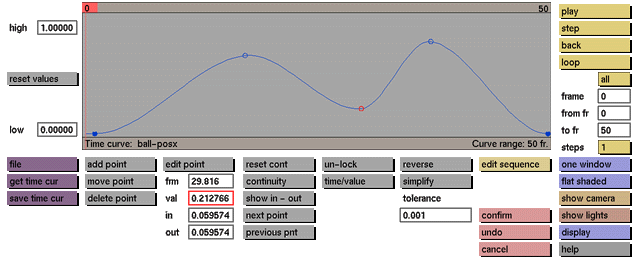
To change the value of the active control point click the val data input box to activate it (red outline). The following prompt will be displayed:

In response to this prompt enter the required value for the currently active control point.
Comments
The value can refer to such items as x position, z rotation, red color component or light intensity, etc., depending on which type of sequence is currently active. Event points can be changed only if the unlock toggle button is active.
See also
edit point, frm, in, out, undo, unlock


