
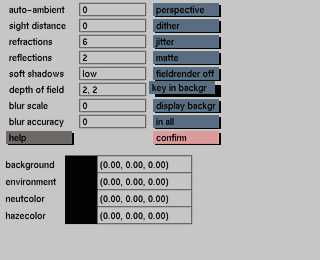
Usage
Click on the key in backgr button to activate it. The selection submenu will be displayed where you can make your selection.
After making your selection, the following prompt will appear:
Change page size to x * y pixels ?
'X' and 'y' represent the x and y size of the image. In response to this prompt, enter y(es) if you want to do this, or enter n(o) if you do not want to do this. In the latter case the page size will remain the same and the background images will not be selected.
Comments
The model will be keyed on top of the background images; therefore the page size of the animation or still file must be the same as the size of the images.
All background images in a sequence must be the same size.
The background image will be visible only with render still or render ani (not with render window or display backgr).
The background images must be stored in the production directory of the active project, which is the same directory where all (rendered) images are stored with render still or render ani (see also 'GIG directory structure' in the Appendix).
The images must be of the '.tiff' image format (Tiff).
Sequences of images must have names ending in: 'xxxx.tif' (with 'xxxx' representing the frame number). Images with a frame number corresponding to the rendered frame will be used as the background color for that particular frame. The last image of a sequence will also be used as the background color for the following frames to be rendered.
Images without the xxxx.tif extension can also be selected, in which case the image will be used as the background for the complete animation.
Example 1:
Example 2:


